Skip to content
  • Events
  • Routes
ZwiftHacks
  • Home
  • Desktop ToolsExpand
    • Automate and save mouse clicksExpand
      • zwift-login
      • zwift-hotkeys
    • Other toolsExpand
      • TR-Z-move
  • Online ToolsExpand
    • Events on Zwift
    • Routes
  • Other thingsExpand
    • Top Tips & Tricks
    • Posts
    • Historic…Expand
      • Settings and route selectionExpand
        • zwift-preferences (for Windows)
        • ZwiftPref for macOS & Windows – Change world and other settings
      • Maps and Onscreen DisplaysExpand
        • ZwiftMap (macOS and Windows)
      • parse-zwift-logs
      • ZwUp – make Zwift topmost and transparent
      • The Whoa! Stopper
      • What is my Zwift ID?
      • MAP and FTP Calculator
      • Online workout editorExpand
        • Simple ZWO Creator
      • Updates
  • About…
  • Contact…
ZwiftHacks
  • ZwUp some more – make Zwift topmost and transparent
    Update | Windows | ZwUp

    ZwUp some more – make Zwift topmost and transparent

    ByJesper [ZwiftHacks] 2017-10-28

    ZwUp doesn’t do much, but now it does just a little more… When you run ZwUp it will make the Zwift window topmost. If the Zwift windows does not exist yet it will wait for it and then…. make it topmost. The new thing is that ZwUp now can move and resize Zwift so it…
    Read More ZwUp some more – make Zwift topmost and transparentContinue

  • Major update to ZwiftPref for macOS & Windows
    macOS | Update | Windows | ZwiftPref

    Major update to ZwiftPref for macOS & Windows

    ByJesper [ZwiftHacks] 2017-10-282018-08-02

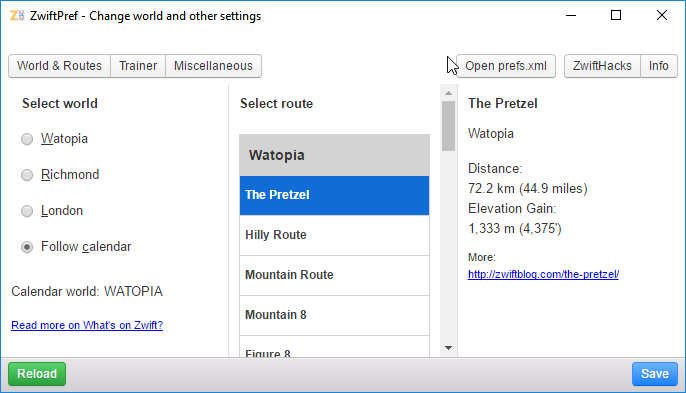
    Execute the World Hack safely with ZwiftPref and YOU get to decide where you will be zwifting today. Pre-select the route before you launch Zwift itself. See route details and upcoming events. And more… Practically all features from zwift-preferences and some new ones (toggle between Running and Riding, eh?) are in this major update to the ZwiftPref…

    Read More Major update to ZwiftPref for macOS & WindowsContinue

  • zwift-preferences and the Jungle Expansion
    Update | Windows | zwift-preferences

    zwift-preferences and the Jungle Expansion

    ByJesper [ZwiftHacks] 2017-10-28

    The addon zwift-preferences (Windows only) has not only been updated with the routes from the latest jungle expansion. In the future it will automatically retrieve the most recent list of routes from the ZwiftHacks site so you will get all new routes to choose from without having to download and install anything again (well, you have…

    Read More zwift-preferences and the Jungle ExpansionContinue

  • Update: zwift-hotkeys
    Update | Windows | zwift-hotkeys

    Update: zwift-hotkeys

    ByJesper [ZwiftHacks] 2017-10-282020-11-15

    zwift-hotkeys has been updated with several new keyboard shortcuts and fixes. Some of the changes are: Keyboard shortcuts (R or Left Alt+R) for toggling between Running and Riding in pairing screen Keyboard shortcuts (1-5 or Left Alt+1/../5) for selecting which device to search for in the pairing screen. The number shortcuts work for choosing a device…

    Read More Update: zwift-hotkeysContinue

  • zwift-preferences now with Three Sisters, Greater London 8, Greater London Loop, and The London Pretzel
    Update | Windows | zwift-preferences

    zwift-preferences now with Three Sisters, Greater London 8, Greater London Loop, and The London Pretzel

    ByJesper [ZwiftHacks] 2017-08-062017-08-06

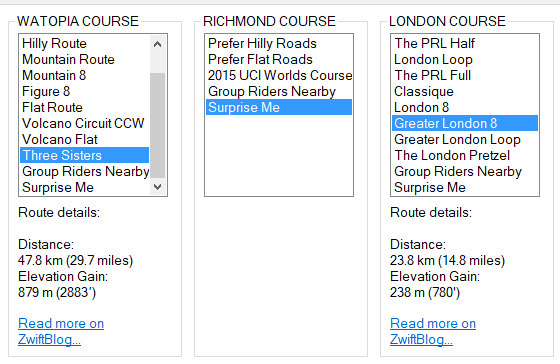
    The addon zwift-preferences (Windows only) now has all the possible route selections, including Three Sisters, Greater London 8, Greater London Loop, and The London Pretzel. The downloads are already live in the usual place… Teaser: ZwiftPref (for macOS and Windows) will soon have route selection, too ….  

    Read More zwift-preferences now with Three Sisters, Greater London 8, Greater London Loop, and The London PretzelContinue

  • Greater London Loop in ZwiftMap
    London | macOS | Windows | ZwiftMap

    Greater London Loop in ZwiftMap

    ByJesper [ZwiftHacks] 2017-06-142017-09-06

    Have you seen that the London extension is here at last? Try the new Greater London Loop and let ZwiftMap show you where you are on the route. Just launch ZwiftMap as you normally do – you do not have to update the app. P.S. The classic ZwiftMap for Windows does not contain the London…

    Read More Greater London Loop in ZwiftMapContinue

  • Help Wanted!
    Windows | ZwiftMap

    Help Wanted!

    ByJesper [ZwiftHacks] 2017-04-042017-09-06

    If you would like to test the next version of ZwiftMap your help would be much appreciated! The version is actually ready but I would like to have feedback from a few people (preferably Windows users) before releasing it to everybody. What is new? The map can stay centered on your position There is a…

    Read More Help Wanted!Continue

  • Toggle fullscreen in ZwiftMap (Windows only)
    Update | Windows | ZwiftMap

    Toggle fullscreen in ZwiftMap (Windows only)

    ByJesper [ZwiftHacks] 2017-03-312017-09-06

    In today’s release of ZwiftMap 1.1.0 there was a bug in the new ‘Toggle fullscreen Zwift’ feature (this is a Windows only feature). It is fixed now in version 1.1.1. With this all features of the old ZwiftMap Classic for Windows have finally been ported to the new ZwiftMap for macOS and Windows.   There…

    Read More Toggle fullscreen in ZwiftMap (Windows only)Continue

  • Track your friends and race yourself with ZwiftMap 1.1.0
    macOS | Update | Windows | ZwiftMap

    Track your friends and race yourself with ZwiftMap 1.1.0

    ByJesper [ZwiftHacks] 2017-03-312017-09-06

    No more teasers – ZwiftMap with a lot of new features is finally ready! The big news: If you sign in with your Zwift user you will get a lot of extra features: * User names instead of user IDs in the chat log. * See the position of the riders you follow directly on…

    Read More Track your friends and race yourself with ZwiftMap 1.1.0Continue

  • Just about to be released!
    ZwiftMap

    Just about to be released!

    ByJesper [ZwiftHacks] 2017-03-292017-09-06

    There is lots of new stuff in ZwiftMap. A new version will be available in a day or so.

    Read More Just about to be released!Continue

Page navigation

Previous PagePrevious 1 … 9 10 11 12 13 … 15 Next PageNext

Tools from ZwiftHacks

  • zwift-login
  • TR-Z-move
  • zwift-hotkeys

Who runs ZwiftHacks?

This site is run by Jesper Rosenlund Nielsen, a Zwift rider since 2015, and is not affiliated with the Zwift company in any way.

You can find Zwift (the company) at zwift.com

ZwiftHacks is also at various social media:

  • Facebook
  • Twitter
  • Mastodon

Meta

  • Log in
  • Entries feed
  • Comments feed
  • WordPress.org
  • About…
  • Friends of the House
  • Contact…

© Jesper Rosenlund Nielsen © 2016-2026 - WordPress Theme by Kadence WP

Scroll to top
  • Home
  • Desktop Tools
    • Automate and save mouse clicks
      • zwift-login
      • zwift-hotkeys
    • Other tools
      • TR-Z-move
  • Online Tools
    • Events on Zwift
    • Routes
  • Other things
    • Top Tips & Tricks
    • Posts
    • Historic…
      • Settings and route selection
        • zwift-preferences (for Windows)
        • ZwiftPref for macOS & Windows – Change world and other settings
      • Maps and Onscreen Displays
        • ZwiftMap (macOS and Windows)
      • parse-zwift-logs
      • ZwUp – make Zwift topmost and transparent
      • The Whoa! Stopper
      • What is my Zwift ID?
      • MAP and FTP Calculator
      • Online workout editor
        • Simple ZWO Creator
      • Updates
  • About…
  • Contact…
Search