Skip to content
  • Events
  • Routes
ZwiftHacks
  • Home
  • Desktop ToolsExpand
    • Automate and save mouse clicksExpand
      • zwift-login
      • zwift-hotkeys
    • Other toolsExpand
      • TR-Z-move
  • Online ToolsExpand
    • Events on Zwift
    • Routes
  • Other thingsExpand
    • Top Tips & Tricks
    • Posts
    • Historic…Expand
      • Settings and route selectionExpand
        • zwift-preferences (for Windows)
        • ZwiftPref for macOS & Windows – Change world and other settings
      • Maps and Onscreen DisplaysExpand
        • ZwiftMap (macOS and Windows)
      • parse-zwift-logs
      • ZwUp – make Zwift topmost and transparent
      • The Whoa! Stopper
      • What is my Zwift ID?
      • MAP and FTP Calculator
      • Online workout editorExpand
        • Simple ZWO Creator
      • Updates
  • About…
  • Contact…
ZwiftHacks
  • Move and resize the ZwiftMap — new in version 4
    Update | ZwiftMap

    Move and resize the ZwiftMap — new in version 4

    ByJesper [ZwiftHacks] 2016-12-132017-01-15

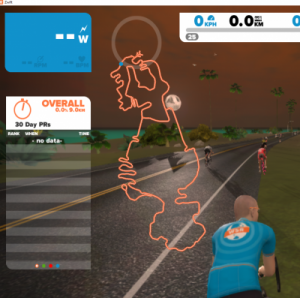
    ZwiftMap was just updated to version 4. It contains some requested features and a lot of invisible stuff… Improved how the map is drawn to make it prettier. To give you full flexibility over where the map is shown ZwiftMap now lets you move and resize the map. The position and size can be saved…
    Read More Move and resize the ZwiftMap — new in version 4Continue

  • zwift-login is fixed to handle the new version of Zwift
    Update | zwift-login

    zwift-login is fixed to handle the new version of Zwift

    ByJesper [ZwiftHacks] 2016-12-102016-12-29

    Today Zwift sent out a new version which changes the launcher screen and broke zwift-login. Now there is an updated version which should work just fine. It was a bit tricky….

    Read More zwift-login is fixed to handle the new version of ZwiftContinue

  • Version 3 of ZwiftMap is ready
    Update | ZwiftMap

    Version 3 of ZwiftMap is ready

    ByJesper [ZwiftHacks] 2016-11-292017-09-06

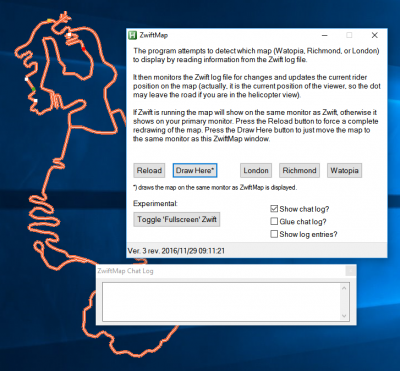
    Version 3 is now ready from the ZwiftMap page. There are many changes on the inside but the following you will notice: The user interface has changed. The chat log is now in a separate which you can position like you want. By default it “glues” to the ZwiftMap window but can be moved away. If you…

    Read More Version 3 of ZwiftMap is readyContinue

  • ZwiftMap updated to version 2
    Update | ZwiftMap

    ZwiftMap updated to version 2

    ByJesper [ZwiftHacks] 2016-11-202016-11-29

    ZwiftMap has been updated to version 2. Find the new version and description of the changes at the ZwiftMap page.

    Read More ZwiftMap updated to version 2Continue

  • Update | ZwiftMap

    ZwiftMap version 1

    ByJesper [ZwiftHacks] 2016-11-192016-11-20

    ZwiftMap version 1 is ready for download!

    Read More ZwiftMap version 1Continue

  • Bug fix in time zone conversion + just a few other things
    Update | zwift-preferences

    Bug fix in time zone conversion + just a few other things

    ByJesper [ZwiftHacks] 2016-10-102016-11-29

    A minor bug in zwift-preferences in time zone conversion (when displaying data from MapSchedule.xml) has been fixed. Other changes: You can now open prefs.xml from the Other menu,  the minimal leaderboards option is now included, plus some tweaking on the Miscellaneous tab.  

    Read More Bug fix in time zone conversion + just a few other thingsContinue

  • Update | zwift-preferences

    More info packed into zwift-preferences

    ByJesper [ZwiftHacks] 2016-10-072016-10-07

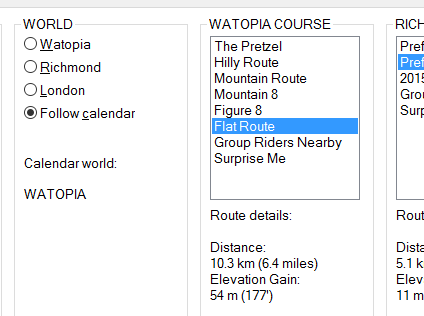
    The most recent version of zwift-preferences now shows you information about the current world on the calendar (did anybody else notice the MapSchedule.xml file in the documents\zwift folder ?) and provides details about the selected routes.  

    Read More More info packed into zwift-preferencesContinue

  • Update | zwift-preferences

    Now with tabs and easier installation

    ByJesper [ZwiftHacks] 2016-09-16

    A cleaner looking tabbed version of zwift-preferences is now ready. Btw it supports the new Neo Road Feel setting, too. I now also offer a compiled version so you do not have to install AutoHotkey to make the script work on your pc.

    Read More Now with tabs and easier installationContinue

  • Update | zwift-preferences

    Bug fix for zwift-preferences from 2016/08/22

    ByJesper [ZwiftHacks] 2016-09-022016-09-02

    Finally uploaded a bug fix version for http://staging1792839621.zwifthacks.com/zwift-preferences/ from 2016/08/22. Corrects a possible bug in earlier version of the script which meant that a choice of a London course could be saved incorrectly

    Read More Bug fix for zwift-preferences from 2016/08/22Continue

  • Update | zwift-preferences

    Support for World 3 London in zwift-preferences

    ByJesper [ZwiftHacks] 2016-08-04

    zwift-preferences has just been updated to support the new London courses. You can now easily switch between all three courses/worlds without having to edit the prefs.xml file yourself.

    Read More Support for World 3 London in zwift-preferencesContinue

Page navigation

Previous PagePrevious 1 … 11 12 13 14 Next PageNext

Tools from ZwiftHacks

  • zwift-login
  • TR-Z-move
  • zwift-hotkeys

Who runs ZwiftHacks?

This site is run by Jesper Rosenlund Nielsen, a Zwift rider since 2015, and is not affiliated with the Zwift company in any way.

You can find Zwift (the company) at zwift.com

ZwiftHacks is also at various social media:

  • Facebook
  • Twitter
  • Mastodon

Meta

  • Log in
  • Entries feed
  • Comments feed
  • WordPress.org
  • About…
  • Friends of the House
  • Contact…

© Jesper Rosenlund Nielsen © 2016-2026 - WordPress Theme by Kadence WP

Scroll to top
  • Home
  • Desktop Tools
    • Automate and save mouse clicks
      • zwift-login
      • zwift-hotkeys
    • Other tools
      • TR-Z-move
  • Online Tools
    • Events on Zwift
    • Routes
  • Other things
    • Top Tips & Tricks
    • Posts
    • Historic…
      • Settings and route selection
        • zwift-preferences (for Windows)
        • ZwiftPref for macOS & Windows – Change world and other settings
      • Maps and Onscreen Displays
        • ZwiftMap (macOS and Windows)
      • parse-zwift-logs
      • ZwUp – make Zwift topmost and transparent
      • The Whoa! Stopper
      • What is my Zwift ID?
      • MAP and FTP Calculator
      • Online workout editor
        • Simple ZWO Creator
      • Updates
  • About…
  • Contact…
Search