zwift-preferences v22
zwift-preferences skips version 21 and jumps straight to version 22 with support for changing the preferred screen resolution and toggle the Prefer Native BLE setting on the Miscellaneous tab.


zwift-preferences skips version 21 and jumps straight to version 22 with support for changing the preferred screen resolution and toggle the Prefer Native BLE setting on the Miscellaneous tab.
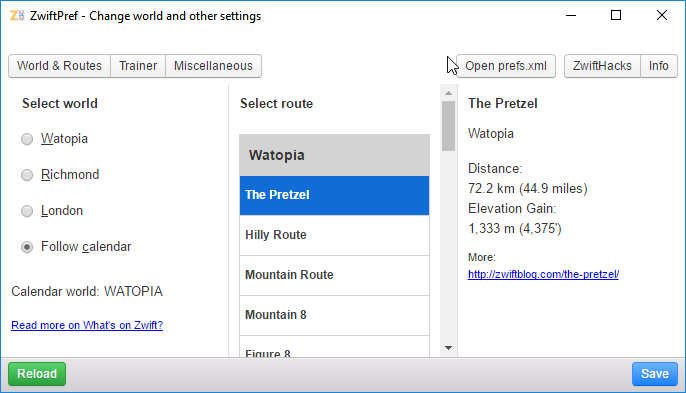
Execute the World Hack safely with ZwiftPref and YOU get to decide where you will be zwifting today. Pre-select the route before you launch Zwift itself. See route details and upcoming events. And more… Practically all features from zwift-preferences and some new ones (toggle between Running and Riding, eh?) are in this major update to the ZwiftPref…
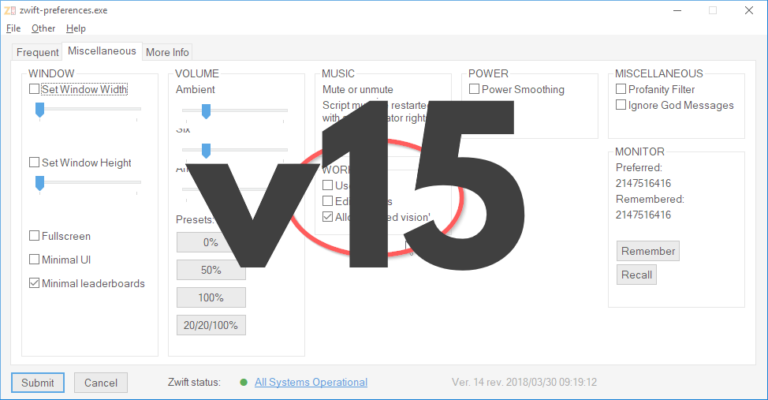
zwift-preferences has been updated to version 16, just to make sure that it shows you the current map/world correctly. Download the update Get the new version 16 over at the zwift-preferences page.
A cleaner looking tabbed version of zwift-preferences is now ready. Btw it supports the new Neo Road Feel setting, too. I now also offer a compiled version so you do not have to install AutoHotkey to make the script work on your pc.
Finally uploaded a bug fix version for http://staging1792839621.zwifthacks.com/zwift-preferences/ from 2016/08/22. Corrects a possible bug in earlier version of the script which meant that a choice of a London course could be saved incorrectly
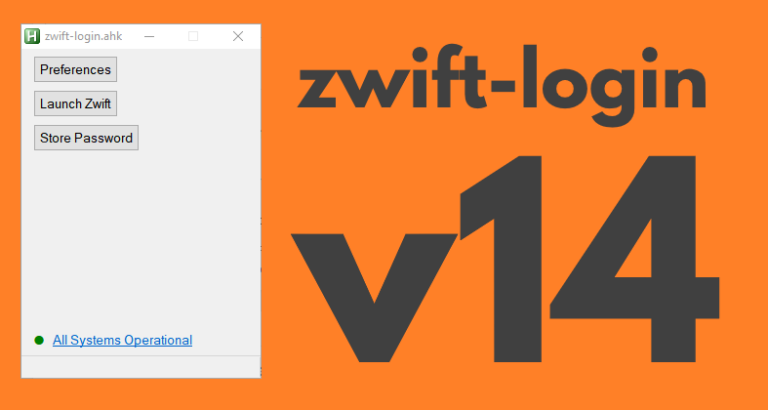
zwift-login has been updated to support the Zwift Launcher which was changed in the update from Zwift 2018-04-26. Download the update Get the new version 14 at the zwift-login page.

Now it is possible to enter a zone number from 1 to 6, too. The format must be e.g. z1, Z3, or simply 6. In general, if the ‘power’ number is less than or equal to 6, it will be interpreted as a zone. See example 2 in the online workout editor. The zones are the same as…
Good
What exactly does the “native BLE setting” do?
It has to do with whether Zwift uses ZCA or the PC built-in Bluetooth but you’ll have to play with it if you want to find out if it actually makes a difference and how 🙂
is there a way to make the preferences window smaller it defaults to a large width when I open it that does not fit withing my PC monitor. Not a big deal …just wondering.
Not at the moment but let me take a look at it. What display resolution does your PC run with?
Once a world and route is selected I’ve noticed that in game the route cannot be changed meaning that it defaults to the route selected in zwift-preferences. Is this normal? Is workout or training mode affected?
That is not at all what I see. You can change the route in the normal way in the game even if you have pre-selected a route in zwift-preferences. I have just verified that.
If you continue to see this problem I suggest that you delete/rename your prefs.xml file and let Zwift create a new one. I could be interested in seing your (old) prefs.xml if that helps – you can contact me via the contact form here and I’ll give you an e-mail address you can send the file to.
What do you mean when you ask if workout or training mode is affected? The route selection whether made in-game or pre-selected in zwift-preferences applies to whatever you do in Zwift whether it is a workout or a free ride, of course with scheduled events and meetups as the exceptions.
I can’t get the v22 to work. I moved away from Zwift for a while and haven’t used the program since around last April. Everything worked fine then. I have tried deleting the log’s files, not allowing Zwift to start after a reboot etc.
If I pick Innsbruck for example, I get a logo on the bottom right of the screen so it looks like it is going to work but then I get the screen saying “loading Watopia.
I am using Windows 10 64bit and a Wahoo Kickr
Can you help please?
I can’t get it to fail so it is hard to say what your problem could be 🙂
It seems very odd if you have the UCI logo but it says ‘Loading Watopia’. My best suggestion would be that you 1) make sure that Zwift is updated to version 1.032945, 2) delete (or rename) prefs.xml, 3) launch Zwift normally so it re-creates prefs.xml. Then it ought to work.