

Skip to content
  • Events
  • Routes
ZwiftHacks
  • Home
  • Desktop ToolsExpand
    • Automate and save mouse clicksExpand
      • zwift-login
      • zwift-hotkeys
    • Other toolsExpand
      • TR-Z-move
  • Online ToolsExpand
    • Events on Zwift
    • Routes
  • Other thingsExpand
    • Top Tips & Tricks
    • Posts
    • Historic…Expand
      • Settings and route selectionExpand
        • zwift-preferences (for Windows)
        • ZwiftPref for macOS & Windows – Change world and other settings
      • Maps and Onscreen DisplaysExpand
        • ZwiftMap (macOS and Windows)
      • parse-zwift-logs
      • ZwUp – make Zwift topmost and transparent
      • The Whoa! Stopper
      • What is my Zwift ID?
      • MAP and FTP Calculator
      • Online workout editorExpand
        • Simple ZWO Creator
      • Updates
  • About…
  • Contact…
ZwiftHacks
  • What to do if TR-Z-move won’t resize the Zwift window after an update…
    Tips & Tricks | TR-Z-move | Windows

    What to do if TR-Z-move won’t resize the Zwift window after an update…

    ByJesper [ZwiftHacks] 2018-03-01

    Yes, It is related to the update but is very easy to fix. Simply close the Zwift launcher (right click the icon in the notification area and choose exit), and everything works just fine when you start Zwift again. The cause of the problem is that Zwift will be running elevated (as administrator) after the update,…
    Read More What to do if TR-Z-move won’t resize the Zwift window after an update…Continue

  • Zwift for Apple TV Picks Up the Pace — ZwiftBlog
    Tips & Tricks | tvOS | Zwift Insider

    Zwift for Apple TV Picks Up the Pace — ZwiftBlog

    ByJesper [ZwiftHacks] 2017-12-172017-12-17

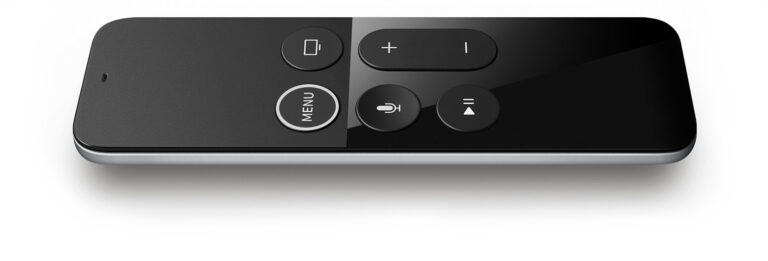
    The second batch of Apple TV tips and tricks posted on ZwiftBlog: All the latest hacks, bugs, and updates for Apple TV Zwifters. via Zwift for Apple TV Picks Up the Pace — ZwiftBlog

    Read More Zwift for Apple TV Picks Up the Pace — ZwiftBlogContinue

  • Tips and Tricks for Zwift on Apple TV — ZwiftBlog
    Tips & Tricks | tvOS | Zwift Insider

    Tips and Tricks for Zwift on Apple TV — ZwiftBlog

    ByJesper [ZwiftHacks] 2017-12-172017-12-17

    The first batch of Apple TV tips and tricks as posted on ZwiftBlog: A collection of the best tips, tricks, and observations from the past week. via Tips and Tricks for Zwift on Apple TV — ZwiftBlog

    Read More Tips and Tricks for Zwift on Apple TV — ZwiftBlogContinue

  • How to find your Zwift ID on an iOS device
    iOS | Tips & Tricks

    How to find your Zwift ID on an iOS device

    ByJesper [ZwiftHacks] 2017-11-302017-11-29

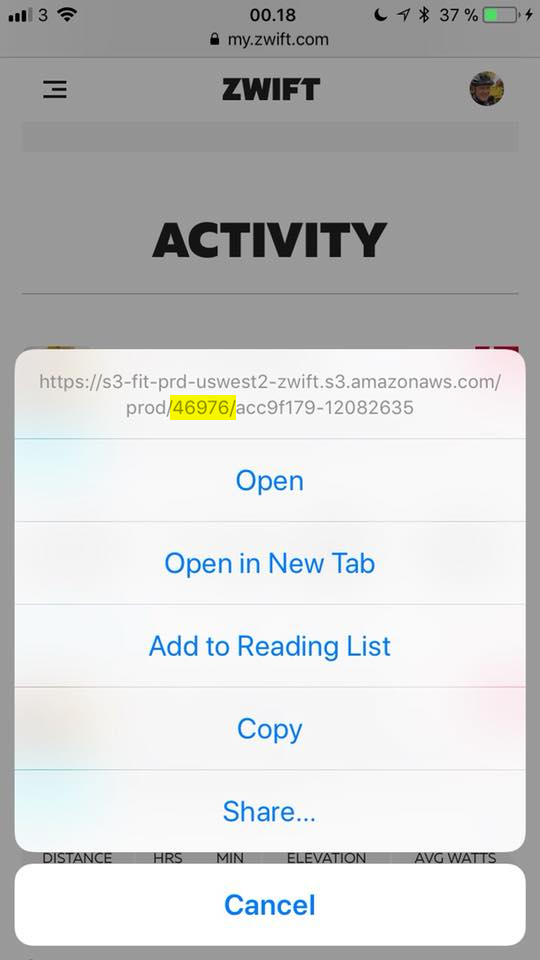
    Are you an iOS only user and have to sign up on ZwiftPower or use ZwiftGPS? Then you have to know your Zwift ID, but where can you find it? Method 1: Easy and secure A very easy way to find it is to go to my.zwift.com in Safari, pick any of your activities, and…

    Read More How to find your Zwift ID on an iOS deviceContinue

Page navigation

Previous PagePrevious 1 2

Tools from ZwiftHacks

  • zwift-login
  • TR-Z-move
  • zwift-hotkeys

Who runs ZwiftHacks?

This site is run by Jesper Rosenlund Nielsen, a Zwift rider since 2015, and is not affiliated with the Zwift company in any way.

You can find Zwift (the company) at zwift.com

ZwiftHacks is also at various social media:

  • Facebook
  • Twitter
  • Mastodon

Meta

  • Log in
  • Entries feed
  • Comments feed
  • WordPress.org
  • About…
  • Friends of the House
  • Contact…

© Jesper Rosenlund Nielsen © 2016-2026 - WordPress Theme by Kadence WP

Scroll to top
  • Home
  • Desktop Tools
    • Automate and save mouse clicks
      • zwift-login
      • zwift-hotkeys
    • Other tools
      • TR-Z-move
  • Online Tools
    • Events on Zwift
    • Routes
  • Other things
    • Top Tips & Tricks
    • Posts
    • Historic…
      • Settings and route selection
        • zwift-preferences (for Windows)
        • ZwiftPref for macOS & Windows – Change world and other settings
      • Maps and Onscreen Displays
        • ZwiftMap (macOS and Windows)
      • parse-zwift-logs
      • ZwUp – make Zwift topmost and transparent
      • The Whoa! Stopper
      • What is my Zwift ID?
      • MAP and FTP Calculator
      • Online workout editor
        • Simple ZWO Creator
      • Updates
  • About…
  • Contact…
Search