zwift-hotkeys v16 – A Fix for the Back button
zwift-hotkeys v16 fixes the Backspace key. Now it will also click the blue Back button (in the Paused screen) when in ultrawide mode.
Find the download at the zwift-hotkeys page.
zwift-hotkeys v16 fixes the Backspace key. Now it will also click the blue Back button (in the Paused screen) when in ultrawide mode.
Find the download at the zwift-hotkeys page.
Your Zwift user ID is something you need for two important purposes: Logging in to ZwiftGPS and signing up at ZwiftPower. In this post – the second of a series – I show you how to find it via my.zwift.com in a couple of ways. Part Two: Finding your id on my.zwift.com works for everybody……
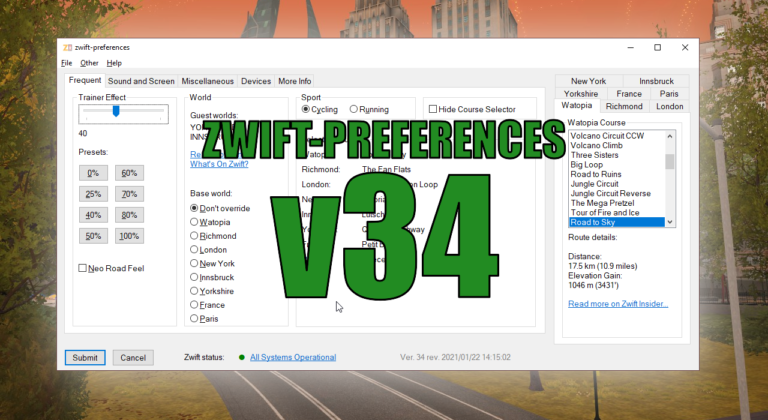
There is a very small bugfix release of zwift-preferences, just fixing a bug in the remember monitor and remember controllable trainer functionalities.
v21 is a bug fix for the Exit button shortcut – update if you already installed v20
zwift-preferences has finally been updated to support the new way of storing route preferences in the prefs.xml file (was introduced by Zwift in April). Now you can select all the different pre-defined routes that Zwift offers.
TR-Z-move has been updated so it can monitor the TrainerRoad and Zwift windows continously and move/resize them without having to press the ‘Position windows’ button. It can also remove the border around Zwift for a cleaner look. How to use If you use the ‘Watch for changes’ option it doesn’t matter in which sequence…
Unfortunately the Zwift Launcher still frequently show a white screen, even in the most recent version 1.1.4 of this. This version of zwift-login has improved checking for white launcher windows and automatically reloading it. Besides this the installer has been revised (no functional changes or bug fixes, but it will make it clear that AutoHotkey…