FEATURED
-
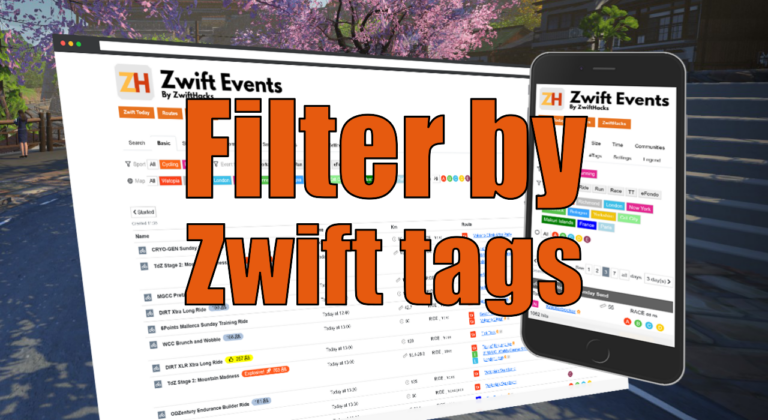
Filter by Zwift event tags
Zwift HQ add hidden tags to all events. Now you can use these tags for filters and as another more way to create custom pages from our event list.
-
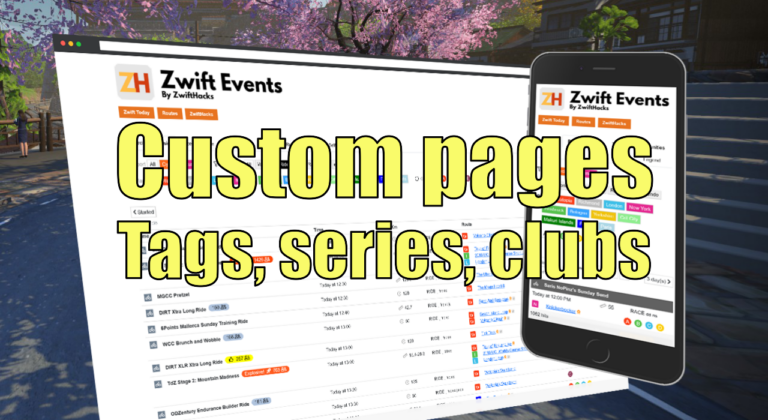
Custom pages for tags, series, and clubs
Here are three more ways to create custom event pages. You can get custom pages for series, events, and clubs.
ALL NEWS FROM ZWIFTHACKS
-
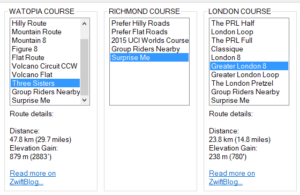
zwift-preferences now with Three Sisters, Greater London 8, Greater London Loop, and The London Pretzel
The addon zwift-preferences (Windows only) now has all the possible route selections, including Three Sisters, Greater London 8, Greater London Loop, and The London Pretzel. The downloads are already live in the usual place… Teaser: ZwiftPref (for macOS and Windows) will soon have route selection, too ….
-
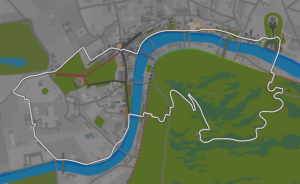
Greater London Loop in ZwiftMap
Have you seen that the London extension is here at last? Try the new Greater London Loop and let ZwiftMap show you where you are on the route. Just launch ZwiftMap as you normally do – you do not have to update the app. P.S. The classic ZwiftMap for Windows does not contain the London extension, yet. It will be updated in a few days.
-

Help Wanted!
If you would like to test the next version of ZwiftMap your help would be much appreciated! The version is actually ready but I would like to have feedback from a few people (preferably Windows users) before releasing it to everybody. What is new? The map can stay centered on your position There is a whole new window which show metrics such as speed, distance etc. You can switch units between metric and imperial. Leave a comment or use the Contact page if you are interested.
-
Toggle fullscreen in ZwiftMap (Windows only)
In today’s release of ZwiftMap 1.1.0 there was a bug in the new ‘Toggle fullscreen Zwift’ feature (this is a Windows only feature). It is fixed now in version 1.1.1. With this all features of the old ZwiftMap Classic for Windows have finally been ported to the new ZwiftMap for macOS and Windows. There are no changes to the macOS version so there is no need to download this again if you already downloaded version 1.1.0. Download The update is waiting for over at the ZwiftMap (macOS and Windows)…
-
Track your friends and race yourself with ZwiftMap 1.1.0
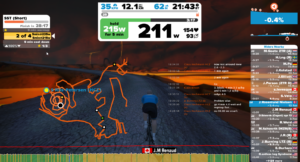
No more teasers – ZwiftMap with a lot of new features is finally ready! The big news: If you sign in with your Zwift user you will get a lot of extra features: * User names instead of user IDs in the chat log. * See the position of the riders you follow directly on the map. * Launch your own local ZwiftGPS server – then you can see the map in a browser from any device in your network! * Race ghosts – either your own previous activities or…
-
Just about to be released!
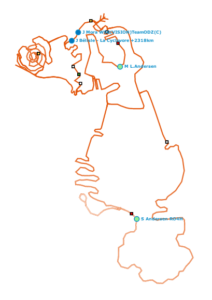
There is lots of new stuff in ZwiftMap. A new version will be available in a day or so.
-
The ZwiftHacks event list is live…
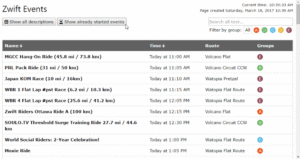
Have you ever wanted to check the description of an event that just started? The ZwiftHacks list of Zwift events can help you with this! The ZwiftHacks event list is now live at zwifthacks.com/app/events/ What else can you do with it? Well, you can sort, search, and filter. Try it out! – there is also a direct link to the event list in the Online Tools menu here on this site.
-
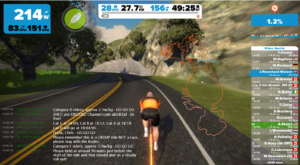
Preview of next major ZwiftMap version
The next version of ZwiftMap is in the works. In particular because of some excellent contributions from Andy Lee you can expect several exciting new features. This picture reveals a few of them if you look closely. Some even more advanced things will be revealed in the next preview…
-
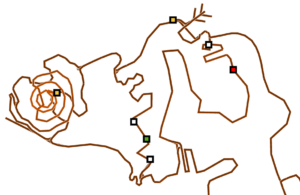
Hey, did you see the new road?
Today, Zwift released an route extension to Watopia. Ride it and let ZwiftMap show you where you are! The ZwiftMaps here from ZwiftHacks automatically retrieve the new map from our server so you don’t have to download anything*. Check out the new map online here: https://api.zwifthacks.com/zwiftmap/app/world/1/ Or better: Ride your bike or run the the new roads. *) Well, the ZwiftMap Classic for Windows does require a program update. A new version will be available on the download page shortly.
-
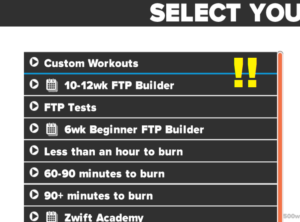
Hack the workout categories list
Update 2022-11-30 – This doesn’t work anymore 🙁 Update 2020-05-10 – The most recent version of Zwift tries to read workout.categories from the folder Documents\Zwift\Workouts and not as described below. You could try manually creating the file here instead and see how it goes. See the comment section for a comment from today (2020-05-10) with the default content for workout.categories Hidden in one of the Zwift data folders lies an opportunitiy to hack the workout categories list. Take a look at the file workout.categories in C:\Program Files (x86)\Zwift\data\Workouts (Windows) or ~/Library/Application Support/Zwift/data/Workouts (macOS).…
-
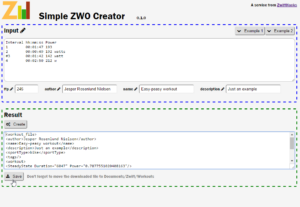
New online workout editor
This tool is unsupported and the page only preserved for historic reasons. The online ZWO editor from ZwiftHacks lets you create a custom Zwift workout from a simple text input. Here you have an easy way to create a workout with predefined steps given duration and power target. The power target can be an absolute number (in watt) a percentage of FTP a zone number from 1 to 6 (the zones are the same as Zwift uses) There are other more advanced workout editors out there, should you need more…
-
Bug fix version 9 of zwift-login
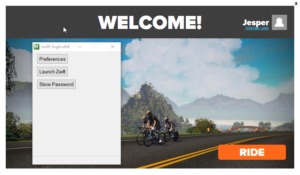
I just made a small update to zwift-login so it works with the latest version of the Zwift Launcher. zwift-login could not detect the Zwift Launcher window and would hang while waiting for Zwift Launcher to load. The problem was that the newest version 1.0.39 of Zwift Launcher has a different window title (‘Zwift Launcher’) compared to the older version 1.0.19 (‘MainWindow’). Thanks to James L. for reporting this issue.
-
Update your ZwiftMap with chat overlay and custom colours
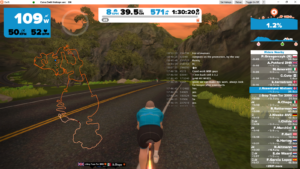
Version 1.0.0 is a major update with more features: There is a new main window for configuration and activating/deactivating windows. There is a new chat log window (a transparent overlay). You can choose if you want to see the map and/or the chat log. This configuration can be changed via the configuration window, and can be saved so it is remembered the next time you run ZwiftMap. The map and chat windows can be resized by pulling on their bottom and right borders. Window sizes and positions are saved between…
-

Fixed a bug that made the map black – and very hard to see!
The map is supposed to show in white but because of a mistake by me it has been showing in black instead since Wednesday (I guess). That will indeed have made it very hard to see on top of Zwift. The problem should be fixed now (it does not require you to download anything again). Regards, Jesper
-
Use the <WORLD> hack and ZwiftMap together!
This is nice to know about the ZwiftMap app: Just curious – if you use ZwiftPref and select a route that is not on the calendar for the current day, the ZwiftMap app seems to only put the map up for the correct course for the day? There is a trick! Start ZwiftMap first and then start Zwift. Then it will detect which world is loaded in Zwift and switch maps. With ZwiftMap Classic for Windows there is not a problem at all — it reads through your log file at startup…
-
ZwiftPref for macOS & Windows – Change world and other settings
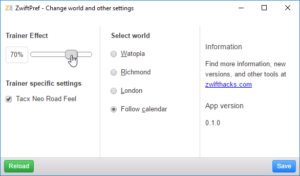
UPDATE: This was the original announcement of ZwiftPref. The most recent information can be found over at the main page for the app. You want to make use the hidden setting with which YOU get to decide where you will be zwifting today? You want easy access to set trainer effect (also called resistance level) before you launch Zwift? This is now possible with an easy to use tool on both macOS and Windows! The screenshot reveals that not all features from zwift-preferences are in this new ZwiftPref app, but…