FEATURED
-
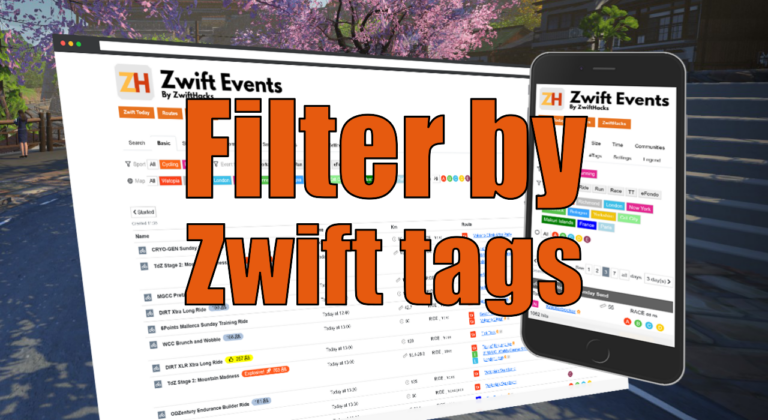
Filter by Zwift event tags
Zwift HQ add hidden tags to all events. Now you can use these tags for filters and as another more way to create custom pages from our event list.
-
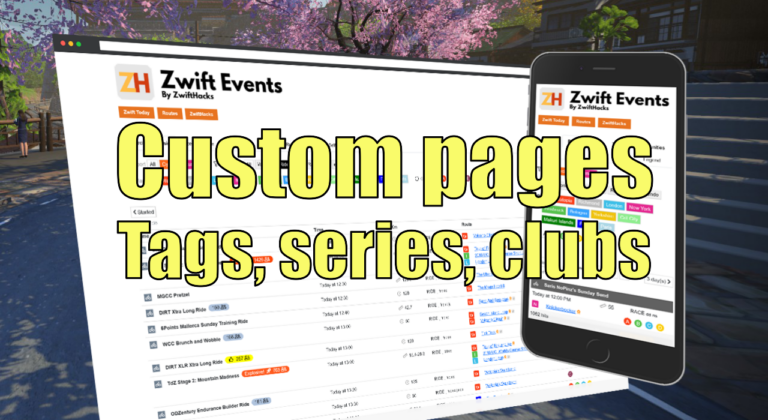
Custom pages for tags, series, and clubs
Here are three more ways to create custom event pages. You can get custom pages for series, events, and clubs.
ALL NEWS FROM ZWIFTHACKS
-
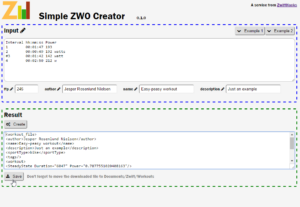
Use zones in the online workout editor
The online ZWO editor gives you an easy way to create a workout with predefined steps given duration and power target. It has just been updated such that the power target can be either an absolute number (in watt) or a percentage of FTP (this is the new bit). A quick update, 8 hours later: I made it possible to enter a zone number from 1 to 6, too. The format must be like z1, Z3, or simply 6. In general, if the ‘power’ number is less than or equal to 6, it will…
-
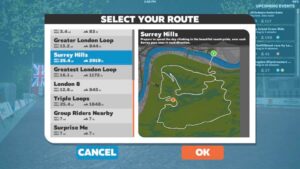
New London routes
There are three new London routes in the new version 1.0.22839 (released for iOS today and eagerly awaited for macOS and Windows – it will probably happen before London is in rotation Tuesday). Edit: Version 1.0.22878 has been released for Windows The three routes are: Surrey Hills 40.8 km 890 m 25.4 mi 2919 ft http://staging1792839621.zwifthacks.com/app/routes/?filter=Surrey%20Hills Greatest London Loop 25.9 km 347 m 16.1 mi 1172 ft http://staging1792839621.zwifthacks.com/app/routes/?filter=Greatest%20London%20Loop Triple Loops 40.8 km 563 m 25.4 mi 1848 ft http://staging1792839621.zwifthacks.com/app/routes/?filter=Triple%20Loops ZwiftPref and zwift-preferences should be ready to let you select the new…
-
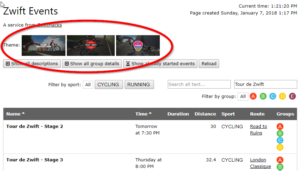
Filter events by Event Series
The events list at http://staging1792839621.zwifthacks.com/app/events can be filtered to show only the events in one of the ongoing events series. Just press one of the theme buttons near the top of the page.
-

Fix TrainerRoad minimal mode and arrange the Zwift window above it
TR-Z-move solves two problems: There is a bug in the current version of TrainerRoad when running on a secondary screen in minimal mode. The workout instructions will still be displayed on your primary screen and not on the same screen as the workout window itself. TR-Z-move fixes this. I want to arrange the Zwift window to fill the rest of the screen above the TrainerRoad workout window. TR-Z-move resizes and moves Zwift to do so. The tool can be useful even if you do not run Zwift – if there…
-
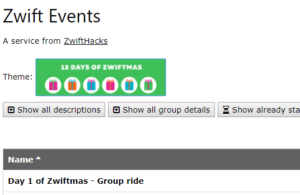
12 Days of Zwiftmas Events
Will you be taking part in the 12 Days of Zwiftmas? The events list at http://staging1792839621.zwifthacks.com/app/events can quickly give you a list of the 12 Days of Zwiftmas events. Just press the button which says (… drumroll …) ‘12 Days of Zwiftmas’. Ta-da!
-
Zwift for Apple TV Picks Up the Pace — ZwiftBlog
The second batch of Apple TV tips and tricks posted on ZwiftBlog: All the latest hacks, bugs, and updates for Apple TV Zwifters. via Zwift for Apple TV Picks Up the Pace — ZwiftBlog
-
Tips and Tricks for Zwift on Apple TV — ZwiftBlog
The first batch of Apple TV tips and tricks as posted on ZwiftBlog: A collection of the best tips, tricks, and observations from the past week. via Tips and Tricks for Zwift on Apple TV — ZwiftBlog
-
How to find your Zwift ID on an iOS device
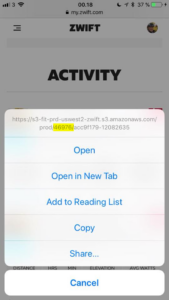
Are you an iOS only user and have to sign up on ZwiftPower or use ZwiftGPS? Then you have to know your Zwift ID, but where can you find it? Method 1: Easy and secure A very easy way to find it is to go to my.zwift.com in Safari, pick any of your activities, and long press on the download link. The user ID is part of the URL to the .fit file, right after where it says ‘prod/’. Method 2: On the web Christian Wiedmann has provided a utility…
-
MAP and FTP Calculator
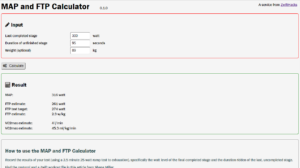
The MAP and FTP calculator is a new tool to help you in MAP testing. The calculator will help you create a workout file to use in Zwift and help you calculate the test result. How to use the MAP and FTP Calculator Setup and download a custom workout file to use for the test in Zwift. Record the results of your test (using a ramp test to exhaustion), specifically the watt level of the final completed stage and the duration ridden of the last, uncompleted stage. When you press…
-
What is distance or duration of the next event?
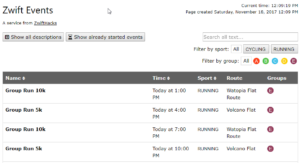
Some additional information, filtering and search options have been added to http://staging1792839621.zwifthacks.com/app/events/. The event list now shows distance and duration, and lets you filter by text in the name to make it easier to isolate e.g. workouts
-
Run events in the ZwiftHacks event list
Today was the day of the first official run event in Zwift. It was a great run! So far you cannot see the run events in Zwift Mobile Link but only in the web events list and in-game. The event list here at ZwiftHacks lets you filter by sport so you can quickly find the next run event. There are plenty of them… The event list is live at http://staging1792839621.zwifthacks.com/app/events. See more about the event list at The ZwiftHacks event list is live
-
Major update to ZwiftMap – version 1.3.0
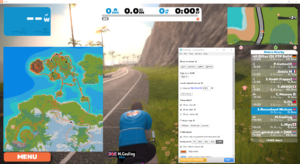
ZwiftMap is still alive, and many changes have been implemented over the past months. Now you get to play with them – finally. What is new? The password can be saved so ZwiftMap can sign you in automatically. Be aware that the password is saved in clear text in the configuration file for ZwiftMap. The map can be shown with a background image. It is controlled by the ‘Background’ preference in the configuration window. The map can stay centered on your position. Toggle the window status (same as you would…
-
Get the mini map images from Zwift now…
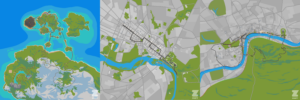
Jon Mayfield from Zwift has released the mini map images for the community to use. Do you have any good ideas for how to use them? I have uploaded the online maps here at ZwiftHacks with the new background images. Take a look at this web app, and it will always show you a map of the current course: https://api.zwifthacks.com/zwiftmap/app/world By the way, it is the same map which is shown in the ZwiftMap app. The currently active course is shown by default in this new online map, but you can choose…
-

ZwUp some more – make Zwift topmost and transparent
ZwUp doesn’t do much, but now it does just a little more… When you run ZwUp it will make the Zwift window topmost. If the Zwift windows does not exist yet it will wait for it and then…. make it topmost. The new thing is that ZwUp now can move and resize Zwift so it sits nicely in the top right corner of your screen. This is useful if you watch a movie in fullscreen mode and want Zwift out of the way but still visible. The download is the…
-
Major update to ZwiftPref for macOS & Windows
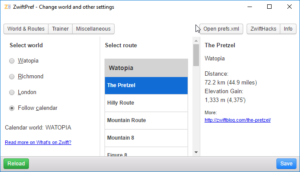
Execute the World Hack safely with ZwiftPref and YOU get to decide where you will be zwifting today. Pre-select the route before you launch Zwift itself. See route details and upcoming events. And more… Practically all features from zwift-preferences and some new ones (toggle between Running and Riding, eh?) are in this major update to the ZwiftPref app. Get the new version over at the ZwiftPref page.
-
zwift-preferences and the Jungle Expansion
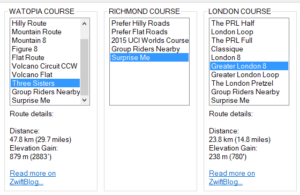
The addon zwift-preferences (Windows only) has not only been updated with the routes from the latest jungle expansion. In the future it will automatically retrieve the most recent list of routes from the ZwiftHacks site so you will get all new routes to choose from without having to download and install anything again (well, you have to do it this time…) An update for ZwiftPref (for macOS and Windows) which gives it route selection is being released, too ….
-
Update: zwift-hotkeys
zwift-hotkeys has been updated with several new keyboard shortcuts and fixes. Some of the changes are: Keyboard shortcuts (R or Left Alt+R) for toggling between Running and Riding in pairing screen Keyboard shortcuts (1-5 or Left Alt+1/../5) for selecting which device to search for in the pairing screen. The number shortcuts work for choosing a device in the Searching window, too. Ctrl+O works for pressing OK in Pairing and Searching windows J or Ctrl+J : Just watch B / Ctrl+B: Remove border and maximise (pseudo fullscreen) R is the shortcut for…
-
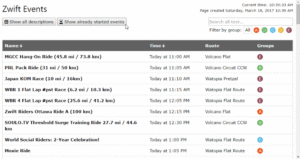
The ZwiftHacks event list was just updated (fixed, actually…)
There was a problem with parsing the start times correctly so the list appeared to be empty — and we all know that there really are plenty of events in Zwift! The fixed event list is now live at http://staging1792839621.zwifthacks.com/app/events. See more about the event list at The ZwiftHacks event list is live
-

Simple ZWO Creator has been fixed – now it calculates durations correctly!
I have fixed a bug so the duration should be calculated correctly now. The updated version is already live at http://staging1792839621.zwifthacks.com/app/simple-zwo-creator/