
FEATURED
-
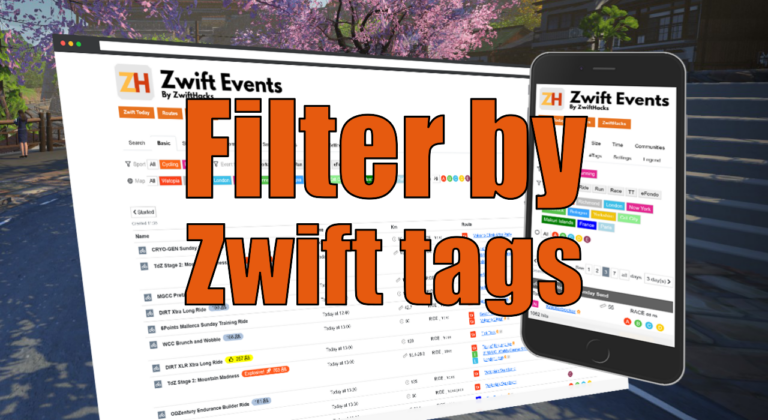
Filter by Zwift event tags
Zwift HQ add hidden tags to all events. Now you can use these tags for filters and as another more way to create custom pages from our event list.
-
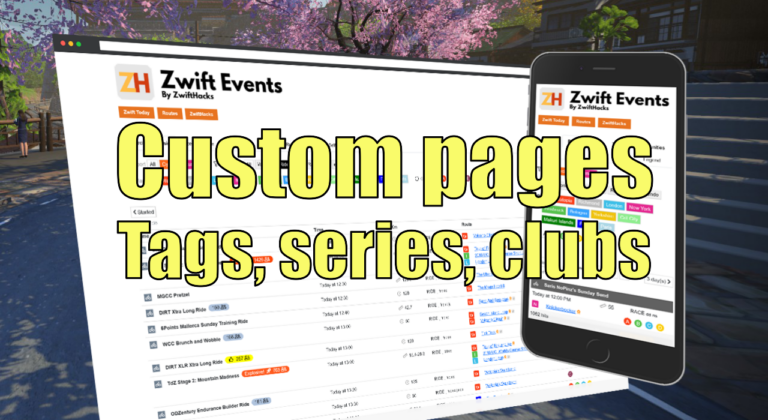
Custom pages for tags, series, and clubs
Here are three more ways to create custom event pages. You can get custom pages for series, events, and clubs.
ALL NEWS FROM ZWIFTHACKS
-
A new setting plus a Win7 bug fix
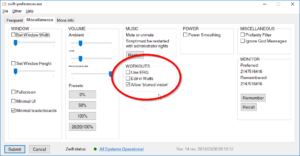
While chasing down a few bugs which occurred only on Windows 7, I also updated zwift-preferences to support the new Workout Distortion setting (the one which determines if the screen blur at the end of a hard workout interval). Download the update Get the new version 14 over at the zwift-preferences page.
-
No more waiting… New routes and an updated map
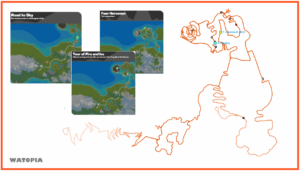
The wait for new routes in Watopia is over with the update of Zwift to version 1.0.25225 today. The three new routes (level 12 locked) are Tour of Fire and Ice Road to Sky Four Horsemen All three routes are already in the route listing in zwift-preferences, ZwiftPref, and the ZwiftHacks route list. ZwiftMap will automatically pull a map with the new roads from the ZwiftHacks server – you don’t have to update anything yourself.
-
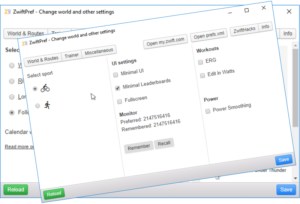
While we wait… ZwiftPref update
While we wait for new routes in the next Zwift update and probably a new world later on, now is a good time to get the latest version of ZwiftPref. You can now save/remember information about the preferred monitor and recall that information later on. Besides that this version is prepared for new worlds and new routes – when Zwift releases them, ZwiftPref will pull the information from the ZwiftHacks server and almost magically let you choose world and routes (well, unless Zwift changes too much – then it may…
-
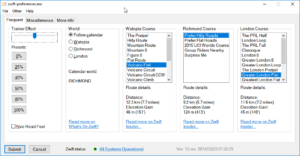
While we wait… an update for zwift-preferences
While we wait for new routes in the next Zwift update and probably a new world later on, now is a good time to get the latest version of zwift-preferences. You can now save/remember information about the preferred monitor and recall that information later on. You can mute/unmute the startup music in Zwift The Zwift status info is shown with link to the Zwift status page Besides that this version is prepared for new worlds and new routes – when Zwift releases them, zwift-preferences will pull the information from the…
-
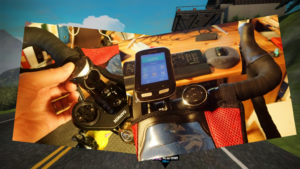
Improvements to the handlebar-mounted Zwift game-controller
I have made some improvements to the script for using the Bluetooth Media Button. Find the new version and description in the updated article How to use a $10 Bluetooth Media Button as a handlebar-mounted Zwift game-controller. The changes in the new version are: Adds volume control Fixes RideOn for wide screens Moved switching of minimap view to Right button to avoid accidentally activating power up Some improvements on the “feel” of using the button There is also a description of how to make a sweat protector for the button…
-

What to do if TR-Z-move won’t resize the Zwift window after an update…
Yes, It is related to the update but is very easy to fix. Simply close the Zwift launcher (right click the icon in the notification area and choose exit), and everything works just fine when you start Zwift again. The cause of the problem is that Zwift will be running elevated (as administrator) after the update, and then TR-Z-move doesn’t work properly.
-
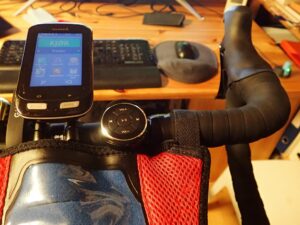
How to use a $10 Bluetooth Media Button as a handlebar-mounted Zwift game-controller
(Editor’s note: This post and the downloads were updated on 2018-03-17 to version 1.0.3) This recipe shows you how to use a $10 gadget as a handlebar mounted Zwift game controller. When mounted on the handlebar of your bike it will give you easy access to 5 keys that can be used to control Zwift without moving your hands away from your handlebar. There are several Bluetooth Media Buttons on the market. These are intended to be used with a smartphone and allows you to play/pause, jump prev/next and adjust…
-
Update: zwift-hotkeys
zwift-hotkeys has been updated to handle some changes in how Zwift layout changes on wide screens or when you resize the Zwift window (this changed with version 1.0.24168 of Zwift on 2018-02-27). This fixes the shortcut for giving a Ride On as well as the shortcuts for jumping between riders. Find the downloads on the zwift-hotkeys page.
-
Chat with preconfigured messages
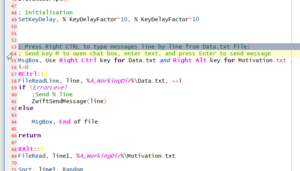
(Editor’s note: This is an excellent example of how to use AutoHotkey to automate things while zwifting) With the help from Jesper’s script, I created a hotkey script that type pre-configured messages in Zwift. I thought this will be handy when leading group rides since there are a basic pattern of messages that I use. You will need to edit two txt files (Data.txt and Motivation.txt) with the messages (one per line). Data is the usual ride stuff and is controlled by the right CTRL key. Motivation is for motivational…
-

Send keystrokes to Zwift with AutoHotkey
There is a trick to make AutoHotkey send keystrokes to Zwift. The Administrator trick It is important that the script is run as administrator or with UI access (an option in the AutoHotkey Setup) because that is the only way it can send keystrokes to Zwift. This script shows how to do this. You can use it in your own AutoHotkey scripts. In this script I handle that by letting the script check at start if it is run as administrator, and if not it will restart itself as such.…
-
Miles… or kilometers… ?
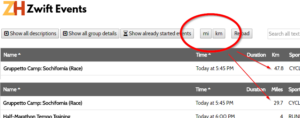
It is almost like magic (but only almost) when you toggle between miles and kilometers and miles and kilometers and … Try it at the events list.
-
Elevation gain per km ???
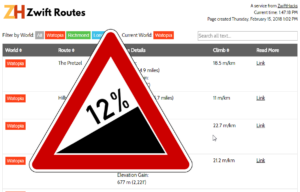
Were you ever in doubt that the Watopia Mountain Route gives you the most elevation gain of all the routes in Zwift? Well, check the numbers yourself in the new Climb column of the route list.
-
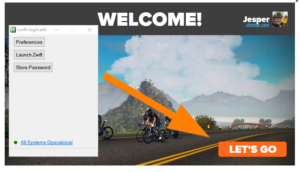
Changes to the Zwift launcher, changes to zwift-login
The Zwift Launcher now have a Let’s Go button where it used to have a Ride On button. zwift-login has been fixed to handle this. Download the new version from the zwift-login page. Zwift has also finally fixed this Welcome! screen so you can just press the Enter key instead of having to click the button with the mouse.
-
Use ZwiftHacks to Get More Info about Zwift Events — Zwift Insider
I was once in a group ride and struggled to remember exactly what the advertised route and pace was. That made me wish for a way to see the event description even after the event has started. This was the original idea that lead to the event list you find at ZwiftHacks. By now Zwift… via Use ZwiftHacks to Get More Info about Zwift Events — Zwift Insider
-
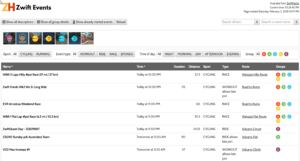
Facelift and features for the event list
The event list at http://staging1792839621.zwifthacks.com/app/events just got a facelift, some tweaks, and a couple of extra features: Filter by time of day and clear your searches.
-
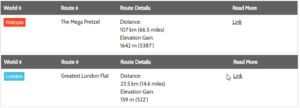
Mega Pretzel and Greatest London Flat
All of the different ZwiftHacks apps know about the new Mega Pretzel and Greatest London Flat routes. That because they all get the latest list of routes here from our server everytime you use one of the apps. The Jungle Circuit details have been corrected so they reflect the change in starting point in the previous Zwift update. If you want an overview of the routes you can find it at http://staging1792839621.zwifthacks.com/app/routes/
-
Small bug fix to TR-Z-move
TR-Z-move has been updated to version 3. The only change is a bug fix – the interval summary window was occasionally moved away from its position right above the minimal workout window. How to use If you use the ‘Watch for changes’ option it doesn’t matter in which sequence you launch TrainerRoad, Zwift, and TR-Z-Move. Launch TrainerRoad, load your workout, and switch to minimal mode. Move the workout window to the screen where you want it (with standard Windows keyboard shortcuts Win+Shift+Right and Win+Shift+Left). Launch Zwift. Launch TR-Z-Move and make…
-
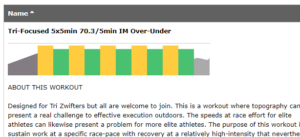
Group workout graphs and more
If you wonder what your next group workout will be like the events list at http://staging1792839621.zwifthacks.com/app/events gives you a quick overview of the workout with nifty graps for all group workouts. You can also filter the list by type of event – it makes it much simpler to find just the right event for you to do next. Hopefully you like the new features.
-
Even better fix for TrainerRoad minimal mode with Zwift
TR-Z-move has been updated so it can monitor the TrainerRoad and Zwift windows continously and move/resize them without having to press the ‘Position windows’ button. It can also remove the border around Zwift for a cleaner look. How to use If you use the ‘Watch for changes’ option it doesn’t matter in which sequence you launch TrainerRoad, Zwift, and TR-Z-Move. Launch TrainerRoad, load your workout, and switch to minimal mode. Move the workout window to the screen where you want it (with standard Windows keyboard shortcuts Win+Shift+Right and Win+Shift+Left).…
-

A quick update to the online workout editor
Now it is possible to enter a zone number from 1 to 6, too. The format must be e.g. z1, Z3, or simply 6. In general, if the ‘power’ number is less than or equal to 6, it will be interpreted as a zone. See example 2 in the online workout editor. The zones are the same as Zwift uses.