
FEATURED
-
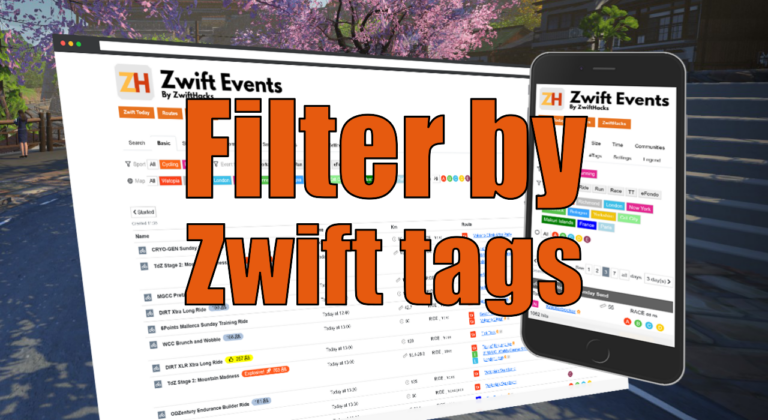
Filter by Zwift event tags
Zwift HQ add hidden tags to all events. Now you can use these tags for filters and as another more way to create custom pages from our event list.
-
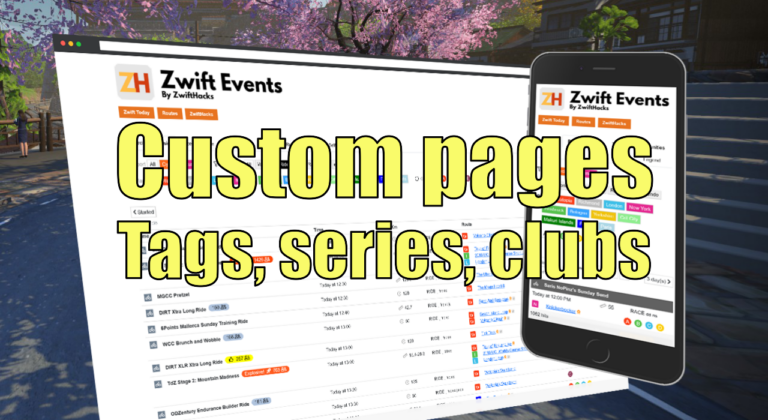
Custom pages for tags, series, and clubs
Here are three more ways to create custom event pages. You can get custom pages for series, events, and clubs.
ALL NEWS FROM ZWIFTHACKS
-
ZwiftMap Preview – step by step
This gallery shows how to find your Zwift ID and activate the different windows of ZwiftMap, including the ZwiftGPS map.
-
ZwiftMap Preview
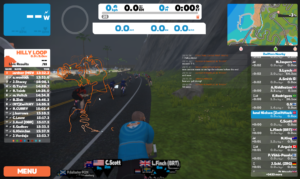
Opt in to ZwiftGPS at my.zwift.com and once again get to see where other riders are in ZwiftMap. It is just a preview version and as such still missing a few features, but if you have a Windows desktop computer you can download and try the new version. The only thing I ask you to do is to leave as much feedback as possible as comments here. There will be more preview versions in the coming weeks until it is ready for a normal release, also for macOS. Download…
-
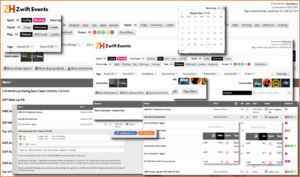
Improved filters and searches
Find it on the Events page – or click the image to see the examples in larger scale.
-
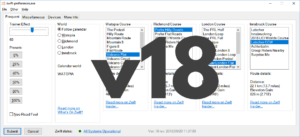
Remember or forget the controllable trainer with v18 of zwift-preferences – the choice is yours
zwift-preferences introduces a new ‘Devices’ tab where you can see which devices are stored in prefs.xml. You can also remove the controllable trainer from the list and later add it back to it. The Trainer Effect slider has been tweaked a bit, too. Remember/Recall the controllable trainer The Remember/Unpair/Recall buttons are useful because you won’t have to interrupt the otherwise automatic pairing process in Zwift to pair or unpair the controllable trainer, when it changes from time to time whether you want it paired or not (e.g. because you sometimes run…
-
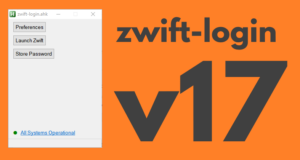
zwift-login version 17
zwift-login now shows warning icons if a specific world is set or minimal_ui is enabled in prefs.xml The new version also checks if ZwiftLauncher is running elevated at launch, when launching Zwift, and when pressing “Close launcher”. This helps in making zwift-login more robust after Zwift itself has been updated. The button “Restart launcher” is renamed to “Close launcher”, and killing ZwiftLauncher will now happen in an elevated process if ZwiftLauncher itself is elevated. On the zwift-login page the explanation of how to use it has been expanded quite a bit,…
-

Update: Move is completed (Was: Service may be interrupted in the next 24 hours…)
UPDATE 3: Problem with zwift-preferences missing Innsbruck routes fixed (caused by changed server settings) UPDATE 2: All download links should be working now. UPDATE: Download links are broken after the move. — Our web hosting provider has been aquired by another company so all the services on zwifthacks.com and api.zwifthacks.com will move to another server tomorrow, September 6 2018 at 00.30 CEDT (follow the link to see time in another timezone). Hopefully everything goes well with minimal downtime – keep fingers crossed….
-
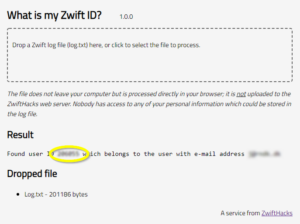
Find your Zwift user ID
Your Zwift user ID is something you need for two important purposes: Logging in to ZwiftGPS and signing up at ZwiftPower. In this post – the first of a series – I show you how to find it in a secure manner using your log file. Part two will show you how to find it from my.zwift.com. Part One: The log file holds the truth… … or at least it contans your Zwift user ID hidden among the many log lines. This makes it very easy to find your user…
-
ZwiftMap bug fix for the chat log (version 1.3.2)
ZwiftMap has just been updated with a bug fix for the chat log – now it will actually display the chat messages which is quite an improvement from version 1.3.1 😉 You can download the newest version for both Windows and macOS at the ZwiftMap page.
-
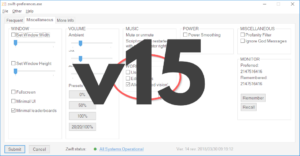
Small fix in v16 of zwift-preferences – show current world
zwift-preferences has been updated to version 16, just to make sure that it shows you the current map/world correctly. Download the update Get the new version 16 over at the zwift-preferences page.
-
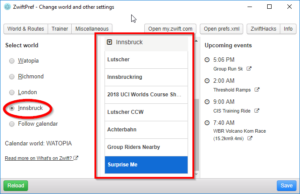
World 5 is here…
…and supported by ZwiftPref and zwift-preferences. You won’t even have to download new version – both apps pull the list of worlds and courses from the ZwiftHacks server and should work right away. If you don’t have the apps – download at either app page: zwift-preferences (for Windows) ZwiftPref (for macOS and Windows) This is what the apps look like with support for Innsbruck (world 5):
-
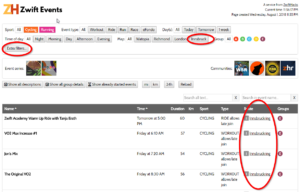
Lots of events in Innsbruck
The event list from ZwiftHacks shows that there are lots of events scheduled for Innsbruck, also on days which are not Innsbruck days. You can easily find all the events in the list by filtering by map. A section for extra filters have been added in the event list, too. Click ‘Extra filters…’ and see what hides there. Try it at the events list.
-
ZwiftMap – updated for Innsbruck
The downloads for ZwiftMap have been offline for some time but are back with support for the new Innsbruck map. Get the latest version (1.3.1) at the ZwiftMap page. Zwift (the company) has requested that all third party developers / Zwift hackers / community Zwift coders refrain from using the APIs which can be used to obtain personal data about Zwifters. Because of that this version of ZwiftMap is amputated a bit – it reads your position from the log file but cannot show the position of other riders on…
-

The Whoa! Stopper is here
Whoa! Zwift cannot connect to the internet. Please check your internet connection and try again. This is a recurring message when I wake up my PC from a power save mode because the network connection is just a bit slower to be back up than the Zwift Launcher can handle nicely. The Whoa! Stopper fixes this annoying problem… On installation The Whoa! Stopper registers a scheduled task which checks for and dismisses the annoying “Whoa!” alerts from the Zwift Launcher after resuming from sleep/hibernation. The Zwift Launcher is…
-
Bug fixing zwift-login (version 15)
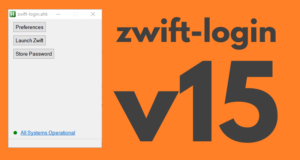
zwift-login got a few fixes to make it more robust when the Zwift status page cannot be reached, and to make sure that it closes when it has launched Zwift. Not the most exciting changes, I admit… Download the update Get the new version 15 at the zwift-login page.
-
It is easy to sign up for events
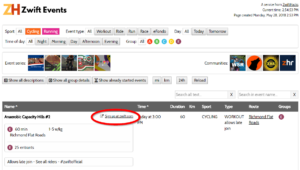
Besides a slight reshuffle of the filters and options at the top of the page, all events have a link which takes you straight to the Zwift event page so you can sign up straight in your browser (remember to log in on zwift.com). Try it at the events list.
-

ZwiftMap downloads are offline
The downloads for ZwiftMap are offline for the time being. Zwift (the company) has requested that all third party developers / Zwift hackers / community Zwift coders refrain from using the APIs which can be used to obtain personal data about Zwifters. ZwiftMap does exactly that (similar to how Zwift Companion does it), so for now I have disabled new downloads of ZwiftMap. My plan is to change ZwiftMap so it complies with what Zwift (the company) will allow, and my actual hope is to be able to restore full ZwiftMap…
-
Changed Zwift Launcher – updated zwift-login
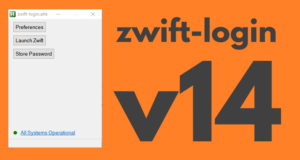
zwift-login has been updated to support the Zwift Launcher which was changed in the update from Zwift 2018-04-26. Download the update Get the new version 14 at the zwift-login page.
-
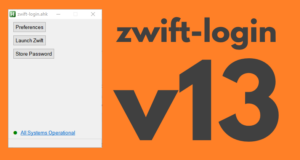
A Win7 bug fix for zwift-login
zwift-login has been updated to fix a problem which was seen on some Windows 7 PC’s. Download the update Get the new version 13 at the zwift-login page.
-

Sunny weather hacks for my.zwift.com
The sun is shining, it is maybe time to ride some outdoors – but first you want to review your Zwift season on https://my.zwift.com. You log in, the first activities load, and then … you press Load More… and wait… press Load More… and wait… press Load More… and wait… Help is on its way! Here you get a couple of bookmarklets, Load all activities, and Download all fit files. They have been tested to work in Google Chrome. Load all activities The Load all activities bookmarklet presses the Load More…
-
Bug fix for a bug fix – v15 of zwift-preferences
The last update helped zwift-preferences work better on Windows 7 but made it worse on Windows 10. Version 15 fixes the this (hopefully). Leave feedback in the comments section if you experience problems. If the previous version (14) works fine for you there is probably no reason to update again. Download the update Get the new version 15 over at the zwift-preferences page.